
How to Clean and Sanitize Phone Lockers in Schools and Gyms
To properly clean and sanitize phone lockers, you must use electronics-safe disinfectants like 70% isopropyl alcohol and follow a protocol that prevents liquid from entering charging ports or clouding acrylic windows. Maintaining these high-touch surfaces requires a balance between rigorous germ removal and protecting the delicate hardware stored inside.
In this guide, you will learn how to:
- Select material-safe cleaning agents for steel and acrylic.
- Implement a 4-step sanitization protocol for electronics.
- Avoid common mistakes that damage USB ports and screens.
- Establish a maintenance schedule for schools and high-traffic gyms.
Why Phone Locker Hygiene is Critical in 2026
Modern cell phone lockers are among the highest-touch surfaces in any facility. Because mobile devices themselves are known to carry significant bacterial loads—often cited as being ten times dirtier than a standard toilet seat (needs verification)—the compartments they sit in quickly become breeding grounds for cross-contamination.
In a school setting, poor hygiene can contribute to the spread of seasonal illnesses among the student body. In gyms, "locker funk" or visible grime can directly impact member retention and your brand’s reputation for cleanliness. Beyond health, regular cleaning prevents the buildup of skin oils and dust that can degrade locking mechanisms and charging connections over time.
Material Matters: What to Use (and What to Avoid)
Not all phone locker materials work best in humid gyms or pools, and similarly, not all materials react well to standard janitorial chemicals. Using the wrong cleaner can lead to "crazing" (fine cracks) in acrylic or corrosion on metal frames.
Recommended Cleaning Supplies
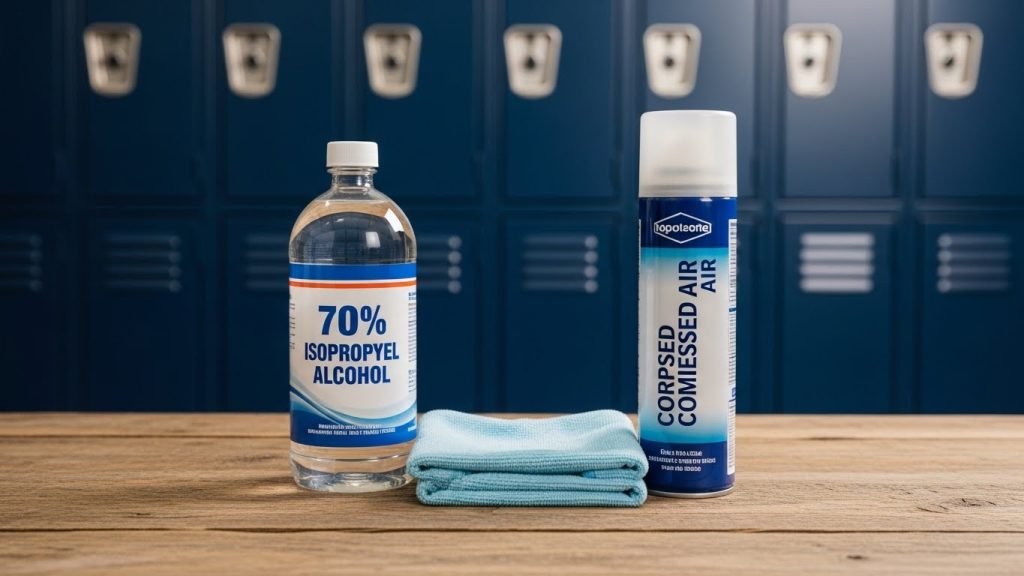
- 70% Isopropyl Alcohol: The gold standard for electronics-grade disinfection. It evaporates quickly and kills most pathogens.
- Microfiber Cloths: Essential for trapping dust without scratching viewing windows or screens.
- Compressed Air: The safest way to remove lint or debris from internal USB-C or Lightning ports.
- Mild Dish Soap: Best for a general "pre-clean" to remove physical grime before disinfecting.
Common Mistakes to Avoid
- Bleach and Ammonia: Never use these on acrylic or polycarbonate windows; they will cause permanent clouding or yellowing.
- Abrasive Scrubbers: Steel wool or scouring pads will destroy powder-coated finishes and scratch clear doors.
- Direct Spraying: Never spray liquid directly into the locker, as it can seep into electronic components or wiring.
Step-by-Step Sanitization Protocol
To ensure a thorough clean without risking equipment failure, follow this four-step professional protocol.
Step 1: Debris Removal & Dusting
Start by emptying all compartments. Use a vacuum with a brush attachment or a canister of compressed air to blow out dust from the corners and the interior of charging ports. Physical debris can trap moisture and bacteria, so it must be removed before liquid cleaners are applied.
Step 2: Surface Cleaning
Dampen a microfiber cloth with a mild soap-and-water solution. Wipe down the exterior frame, the interior walls, and the doors. This step removes skin oils and "biofilm" that can shield germs from disinfectants. Ensure the cloth is damp, not dripping.
Step 3: EPA-Approved Disinfection
Apply 70% isopropyl alcohol to a clean cloth and wipe all high-touch areas, including keypad locks, door handles, and the interior floor of the locker. To be effective, the surface should remain visibly wet for the "dwell time" recommended on the disinfectant label (usually 30–60 seconds for alcohol).
Step 4: Technical Care
If your units include integrated charging, inspect the cables. Wipe the plastic housing of the cable with a disinfectant wipe, but avoid touching the metal pins of the connector with any liquid. Once finished, ensure the locker is completely dry before allowing users to re-insert their phones.
Scheduling: The Gym vs. School Cadence
The frequency of your cleaning should match the "traffic" of your environment. High-turnover facilities require more aggressive scheduling to maintain safety.
| Frequency | Gym / Health Club Protocol | School / University Protocol |
| Daily | Wipe down external touchpoints (keypads/handles) every 4 hours during peak times. | Wipe down all locker fronts and keypads after the final bell or during the evening shift. |
| Weekly | Full interior deep clean of all compartments to remove sweat residue and gym dust. | Deep clean interior surfaces every Friday afternoon. |
| Monthly | Technical audit of charging ports and deep cleaning of the base/kickplate. | Check for graffiti, mechanical wear, and perform a full "dust-out" of technical bays. |
While cleaning, ensure your staff checks that units remain securely fastened to the wall; if they feel loose, consult a guide on how to anchor phone lockers to prevent tip-over or theft.
The Future of Hygiene: UV-C and Antimicrobial Surfaces
As we move through 2026, many facilities are upgrading to "active" hygiene solutions. This includes lockers treated with antimicrobial powder coatings, which utilize silver ions to inhibit the growth of bacteria on the metal surfaces between cleanings.
Another rising trend is integrated UV-C sanitization. These lockers use specific wavelengths of ultraviolet light to kill viruses and bacteria on the phone's surface while it charges. However, a common mistake is assuming UV-C replaces physical cleaning. UV light cannot penetrate "shadows" created by dirt or grime, so manual wiping remains essential for a truly sanitary environment.
Regardless of the technology used, always ensure your locker placement remains accessible to all users by confirming your phone lockers are ADA compliant.
FAQ
No, you should never use bleach or ammonia-based cleaners on acrylic. These chemicals cause "crazing," which results in thousands of tiny cracks and a permanent cloudy appearance on the locker windows.
Use a canister of compressed air to blow out dust and lint from the port. If there is visible sticky residue, use a wooden toothpick or a specialized electronics cleaning swab lightly dampened with 99% isopropyl alcohol, ensuring the unit is powered off.
High-traffic gym lockers should have their touchpoints disinfected daily. A full interior sanitization should occur at least once a week to prevent the buildup of bacteria and odors from humid environments.
No, provided you use the "wipe-on" method and allow the locker to dry. You should never spray liquids into a locker while a phone is present, as the mist can enter the phone’s speakers or charging port.
Dwell time is the amount of time a disinfectant must stay wet on a surface to effectively kill pathogens. For 70% isopropyl alcohol, this is typically between 30 and 60 seconds.
Yes, sanitizing wipes are excellent for keypads and digital locks. Ensure the wipe is not oversaturated so that liquid does not seep behind the buttons and damage the internal circuitry.
Conclusion
Maintaining phone lockers in schools and gyms is a dual task: you must protect the health of your users while preserving the integrity of the storage hardware. By using 70% isopropyl alcohol, avoiding harsh abrasives on acrylic, and following a consistent cleaning schedule, you can extend the life of your investment significantly.
