
How Do You Reset a Digital Phone Locker Code Safely?
To reset a digital phone locker code, you typically need to enter a programmed Master Code or use a physical override key provided by the manufacturer. If the user PIN is forgotten, most systems allow an administrator to clear the existing code via the keypad to restore access immediately.
In this guide, you will learn how to:
- Differentiate between Public and Private locker modes.
- Perform an emergency override using a Master Code.
- Locate and use internal reset buttons for factory restores.
- Troubleshoot unresponsive keypads and dead batteries.
Understanding Your Locker's Access Mode (Public vs. Private)
Before attempting a reset, you must identify the operating mode of your locker, as the reset process varies significantly between the two.
Public Mode (Day Use): Common in gyms, spas, and events. The locker is normally open. A user chooses any available locker, enters a self-selected code to lock it, and that code is deleted once they unlock it. Reseting these usually involves a simple "Master Override" to clear the temporary PIN.
Private Mode (Assigned Use): Common in offices or schools where one person is assigned a specific locker. The code remains the same until it is manually changed. Resetting these often requires a deeper "Factory Reset" to wipe the permanent user data.
Common Mistake: Attempting a factory reset on a Public Mode locker. This can sometimes disrupt the entire firmware sequence, making the locker unavailable for the next guest until recalibrated.
Common Methods to Reset a Digital Locker Code
Method 1: The Master Code (Admin Override)
Every digital locker system comes with a default Master Code. This is the primary way to gain entry when a user forgets a locker code or loses a key. Entering this code usually unlocks the door and clears the previous user’s PIN.
Method 2: Physical Master Keys
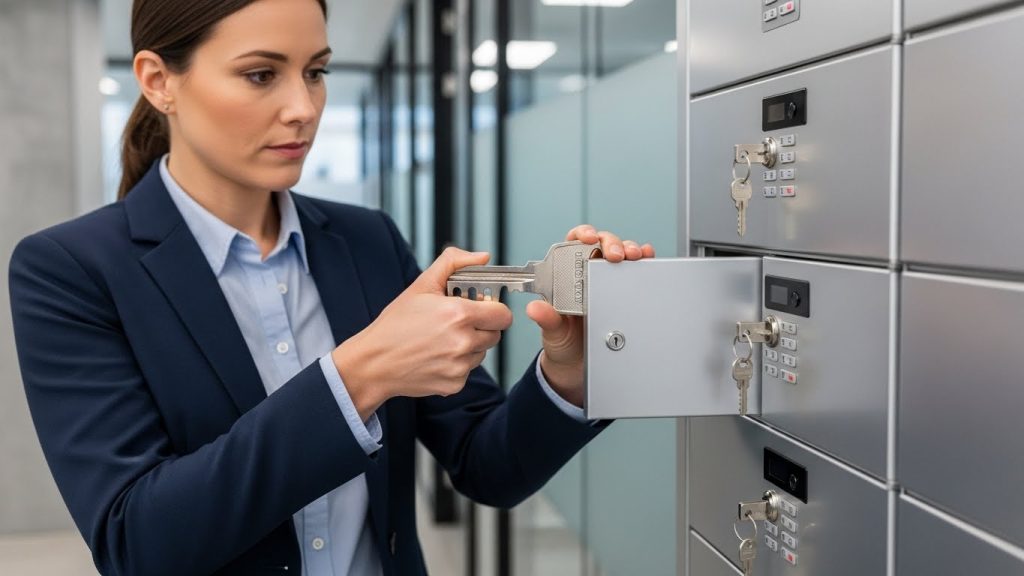
If the electronic keypad fails or the Master Code is forgotten, most high-quality cell phone lockers include a concealed keyhole. This is often hidden behind a brand logo plate or located at the bottom of the lock face. Inserting the physical master key will mechanically retract the bolt regardless of the digital state.
Method 3: The Hidden Reset Button
For a full hardware restore, many brands include a small "Reset" or "Program" button located on the interior backplate of the lock.
- Open the locker (using Method 1 or 2).
- Remove the battery cover if necessary.
- Press and hold the reset button (often with a paperclip) for 5–10 seconds.
- Wait for a beep or light flash indicating the lock has returned to factory settings.
Brand-Specific Reset Instructions (Quick Reference)
Different manufacturers use specific sequences to initiate a reset. Use the table below for the most common 2026 industry standards.
| Brand | Default Master Code | Reset Sequence |
| Digilock | 00000000 (needs verification) | Press C > Master Code > Key > 1 > New Code |
| Master Lock | 123456 | Press Program > Master Code > 6 > New Code |
| Gantner | Factory Set | Requires specialized "Admin Card" or NFC Master Key |
| Hollman | 999999 | Press # > Master Code > # > 0 |
Troubleshooting: What if the Keypad is Dead?
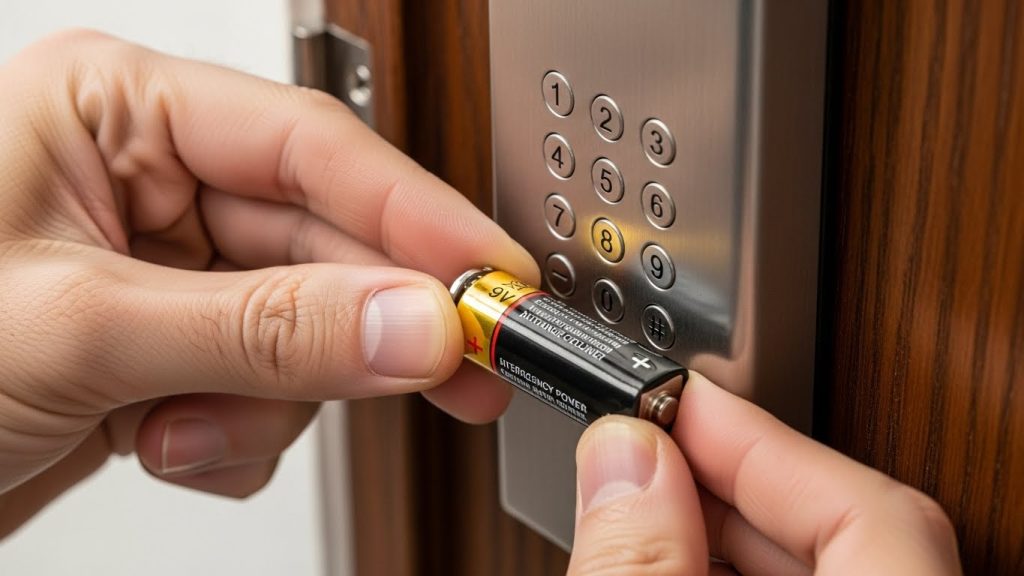
If the keypad does not light up or beep when touched, the batteries are likely dead. Since the batteries are located inside the locked door, you have two options:
- The 9V Jump-Start: Many digital locks have two metal contact points on the exterior. Hold a fresh 9V battery against these contacts. This provides enough temporary power to enter your Master Code and open the door.
- External Power Port: Some modern phone lockers use a USB-C emergency power port. Plug in a portable power bank to wake the screen.
Common Mistakes to Avoid:
- Using Force: Never try to pry the keypad off; this will trigger internal "anti-tamper" relockers that may permanently disable the unit.
- Cheap Batteries: Always replace locker batteries with high-quality Alkaline or Lithium cells. Zinc-carbon batteries often lack the peak voltage required to throw the motorized bolt.
Security Best Practices for Facility Managers
To ensure the longevity and security of your digital storage system, follow these management protocols:
- Change Defaults Immediately: Never leave the factory "1234" or "0000" codes active after installation.
- Maintain a Master Log: Keep a secure, encrypted digital record of which Master Key belongs to which locker bank.
- Schedule Battery Audits: Replace batteries every 12–18 months, even if they aren't showing "Low Battery" signals yet.
Frequently Asked Questions (FAQ)
There is no universal 4-digit code, but "0000," "1234," and "9999" are the most common factory defaults used by major manufacturers for initial setup.
Yes, most digital lockers have a reset button located on the interior side of the lock housing, often near the battery compartment or behind a small pinhole.
You must use the Administrator's Master Code or a physical override key to open the door; once open, you can follow the brand-specific sequence to program a new PIN.
This usually indicates a "Low Battery" warning or that the bolt is jammed; try pressing firmly on the door while entering the code to relieve pressure on the lock.
If you do not have the Master Code, you will need the physical override key or, in some cases, a manufacturer-specific "Jump-Code" generated using the lock's serial number.
Most modern systems will enter a 1-minute to 5-minute security lockout after 3 to 5 consecutive incorrect code entries.
Conclusion
Resetting a digital phone locker code is a straightforward process if you have the right administrative tools. Whether you are using a Master Code override or a physical key, the goal is to maintain security while ensuring users can access their devices quickly.
