
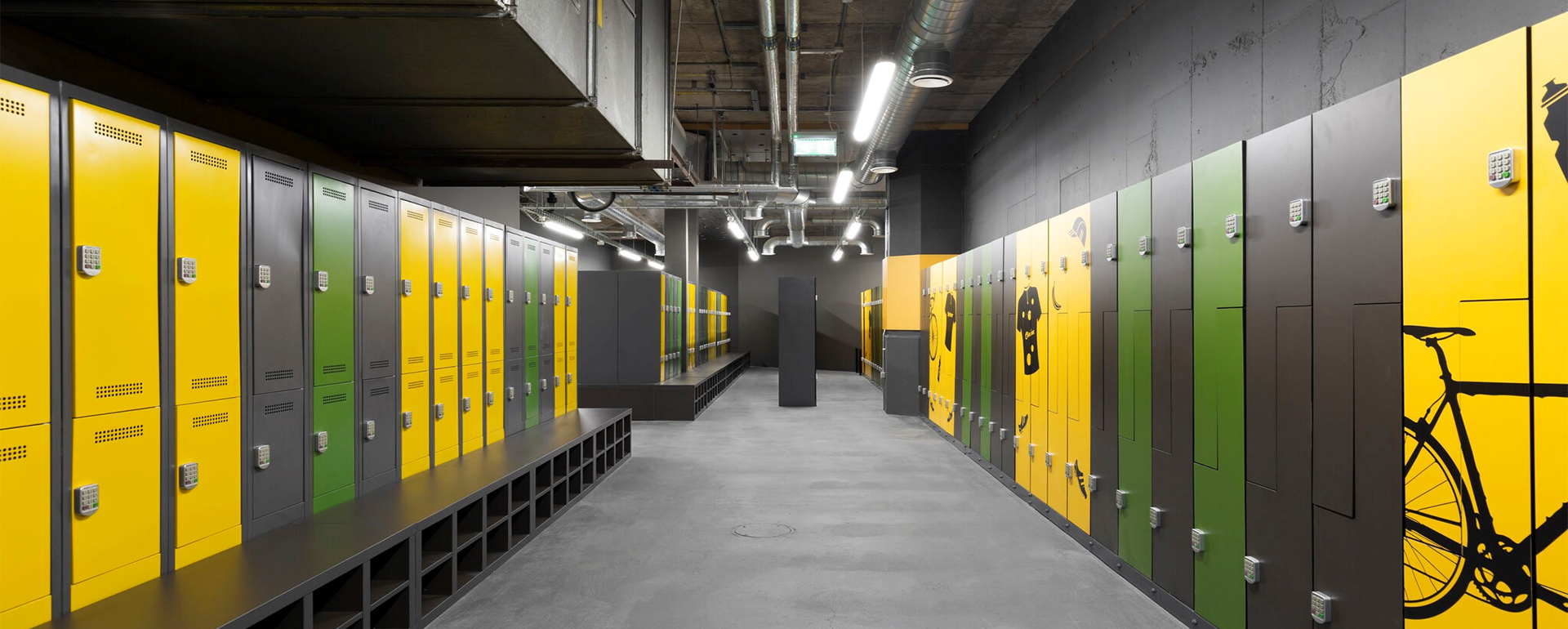
How to Create a Workplace Phone Policy Using Lockers
To create an effective workplace phone policy, you must combine clear behavioral expectations with a secure physical storage solution. This dual approach ensures that employees stay focused during work hours while knowing their personal devices are safe, charged, and accessible during authorized breaks.
In this guide, you will learn how to:
- Define specific "Red" and "Green" device usage zones.
- Select hardware that meets modern smartphone dimensions.
- Establish emergency contact bridges for family peace of mind.
- Implement a rollout schedule that ensures employee buy-in.
- Address legal and privacy concerns regarding personal property.
Why a Physical Storage Solution is Better Than a "Phone Ban"
Traditional phone bans often fail because they rely solely on willpower and constant management oversight. Implementing a policy centered around cell phone lockers shifts the dynamic from a punitive "don't touch" rule to a structural "out of sight, out of mind" workflow.
The psychological benefit of a physical barrier is significant. Research into "phone snacking"—the habit of checking a device for just a few seconds—suggests that the average worker may check their phone 50+ times a day (needs verification). By providing a dedicated space for these devices, you remove the constant cognitive load of resisting notifications. Furthermore, lockers protect sensitive company data and trade secrets by ensuring cameras are physically restricted in high-security production areas.
Common mistakes to avoid:
- Being overly punitive: Frame the lockers as a tool for "Deep Work" and focus rather than a way to "control" staff.
- Ignoring security: Using flimsy storage that doesn't inspire confidence will lead to employees hiding phones in their pockets instead.
Step 1: Defining Your Policy Scope and Rules
A successful policy must be granular enough to account for the different needs of various departments. For instance, a policy for a manufacturing floor will differ significantly from one for a corporate marketing suite. You should categorize your workplace into "Red Zones" (no phones allowed due to safety or productivity) and "Green Zones" (break rooms or lobbies where usage is permitted).
When drafting your rules, consider the following:
- Smartwatches and Tablets: Will the policy extend to wearable tech that can receive messages?
- Tiered Access: Will senior management or specific on-call roles have different storage requirements?
- Break Intervals: Define exactly when an employee can access their locker to check for personal messages.
If your facility is a shared space with educational components, you may find additional inspiration in our guide on how to write a school phone locker policy that works, which focuses on high-traffic, high-discipline environments.
Step 2: The Logistics—Choosing the Right Phone Lockers
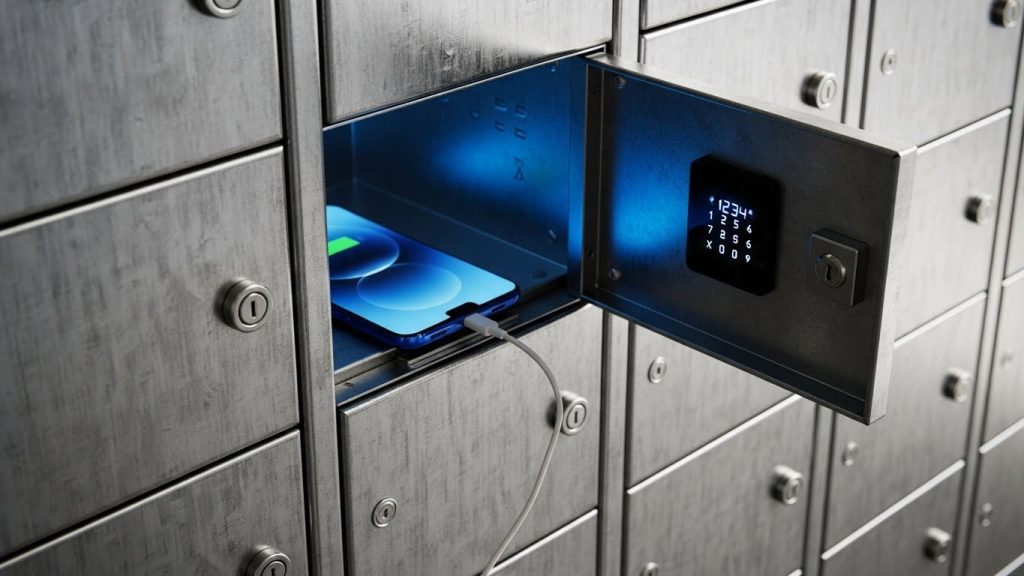
The hardware you choose is just as important as the text of your policy. If the lockers are difficult to use or don't accommodate modern tech, your policy will face immediate resistance. High-quality lockers are typically structured from galvanized steel (often 1.0mm thickness) to ensure they are anti-rust and durable enough for industrial use.
Key hardware considerations:
- Charging vs. Non-charging: Employees are significantly more likely to accept a storage policy if they know their phone is gaining battery life while they work.
- Lock Types: Decide between traditional keys, digital pin codes, or RFID cards. Digital codes are often preferred to avoid the administrative burden of lost keys.
- Sizing: Ensure compartments are large enough for "Pro Max" sized phones equipped with heavy-duty protective cases.
Before ordering, it is crucial to understand the timeline for deployment. You can learn more about how long it takes to order and install phone lockers to ensure your policy launch date aligns with your hardware arrival.
Step 3: Solving the "Emergency Contact" Hurdle
The #1 reason employees resist locking away their phones is the fear of missing an emergency call from a child’s school or an aging parent. Your policy must solve this problem before the first locker is installed.
To bridge this gap:
- The Corporate Hotline: Establish a dedicated emergency phone line that is monitored 24/7 or during all active shifts.
- The "Contact Card": Provide employees with small business cards featuring the office emergency number to give to their families and schools.
- Emergency Protocol: Clearly state in the policy how and how fast an employee will be notified if a call comes in.
As one operations expert noted: "A policy is only as strong as its emergency backup plan." If employees don't trust the bridge, they won't use the lockers.
Step 4: Implementation and Employee Buy-in

Never launch a phone policy overnight. Sudden changes to personal device access can feel like a violation of privacy and lead to immediate turnover. Instead, use a phased approach.
The Recommended Rollout:
- 30-Day Notice: Announce the policy and explain the productivity and safety reasons behind it.
- The "Pilot" Week: Install the lockers and allow employees to use them voluntarily to get used to the locks.
- The Grace Period: For the first two weeks of the formal policy, use verbal reminders rather than formal disciplinary action.
When investing in this infrastructure, make sure you are protected. It is wise to check what warranty you should expect on phone lockers to ensure your investment is covered against mechanical failure or finish defects.
Legal and Privacy Considerations for 2026
As we move into 2026, many regions are introducing "Right to Disconnect" legislation. While these laws primarily focus on after-hours communication, they emphasize the importance of personal boundaries. Your policy should clearly state that while the employer provides the locker for safety and focus, the employer is not responsible for the contents unless there is proven negligence.
Common mistakes to avoid:
- Unauthorized Searches: Never search a phone locker without a clear, pre-written legal cause outlined in the handbook.
- Unclear Liability: Ensure your insurance policy covers the storage area and that employees sign an acknowledgment of the storage terms.
FAQ
Yes, in most jurisdictions, employers can mandate phone storage for safety, security, or productivity reasons, provided the policy is applied consistently and does not violate labor contracts.
Digital keypad locks or RFID systems are best for large offices. They eliminate the need for physical key management and allow for easy code resets when employees leave the company.
Your policy should clearly define liability. Most organizations state that storage is at the employee's own risk, though providing high-quality, 1.0mm steel lockers reduces the risk of theft or physical damage.
Yes, allowing phone access during designated breaks in "Green Zones" is highly recommended to maintain employee morale and compliance with the policy during work hours.
Establish a dedicated emergency line that family members can call. Ensure the policy guarantees that a supervisor will immediately relay any emergency messages to the staff member.
Charging lockers significantly increase employee "buy-in." When employees view the locker as a utility (a way to charge their phone) rather than a cage, policy compliance rates rise.
Conclusion
Creating a workplace phone policy with lockers is about more than just setting rules; it’s about providing a professional environment where focus is possible. By selecting the right hardware, addressing emergency concerns, and following a phased rollout, you can boost productivity without sacrificing employee trust.
